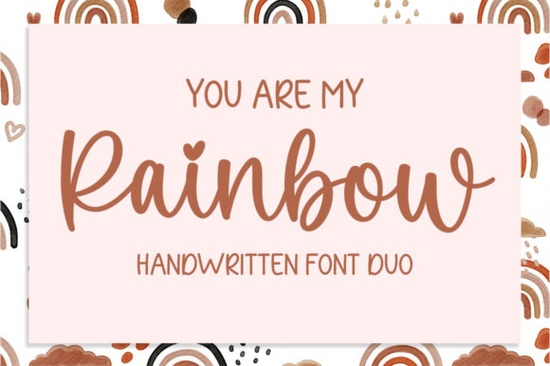
If you're looking for a friendly, hand-lettered script font that feels warm and personal like something you’d write in a heartfelt note or print on a baby onesie You Are My Rainbow Font fits naturally into your design workflow. It’s not overly ornate or hard to read, and it doesn’t try to be everything at once. Instead, it offers two clean, coordinated styles: a smooth connecting script and a gentle sans-serif companion. Together, they’re designed to work well on greeting cards, wall art, mugs, and digital invitations especially when you want warmth without clutter.
How does You Are My Rainbow Font actually work in real projects?
The set includes a flowing script font and a soft, rounded sans-serif. You’ll often use the script for headlines or names (“You Are My Rainbow” looks lovely as a title), and the sans-serif for body text, labels, or subtle accents. Because both fonts share similar x-heights and spacing, they pair without extra tweaking no adjusting tracking or baseline shifts just to make them look like they belong together.
This makes it especially handy if you’re designing for print-on-demand platforms like Redbubble or Etsy, where speed and consistency matter. You can build a cohesive collection say, a set of rainbow-themed baby shower prints using just these two fonts, and keep your brand feel unified across dozens of files.
What kinds of projects suit this font best?
It shines in contexts where sincerity and approachability matter:
- Handmade greeting cards (think birthday, baby announcement, or “just because” notes)
- Small-batch apparel designs especially for kids’ clothes or mom-and-me matching sets
- Digital planners or printable journal pages where soft lettering feels inviting
- Wedding stationery with a relaxed, joyful tone not formal calligraphy, but still intentional
- Social media graphics for small businesses that want friendly, human-sounding visuals
It’s not meant for long paragraphs or dense legal text, and it won’t replace a robust serif or monospace for technical layouts. But for short, meaningful phrases? It adds quiet charm without demanding attention.
How does it compare to other popular script fonts on Creative Fabrica?
If you’ve used Cherry Font, you’ll notice You Are My Rainbow Font has slightly more open letterforms and less contrast between thick and thin strokes making it easier to scale down for embroidery or laser-cut wood signs. Compared to Groovy Font, it’s calmer and less bouncy; less “party,” more “cozy coffee date.” And unlike Thick Font, which leans bold and graphic, this one keeps things light and airy even at larger sizes.
It also shares some of the gentle rhythm found in Enchanting Script Font, but with fewer flourishes and more consistent spacing. That predictability helps when you’re batch-designing or building templates for repeat clients.
Where can you use it right away?
You get standard OpenType features basic ligatures, alternate characters, and multilingual support covering Western European languages. It works smoothly in Canva, Adobe Illustrator, Cricut Design Space, and Silhouette Studio. No special setup needed. Just install the .OTF files, and start layering text over watercolor backgrounds or pastel gradients.
One thing to keep in mind: since it’s a script font, avoid stretching or skewing the letters manually. Let the natural flow do the work. If you need all-caps impact, lean on the sans-serif companion it holds up better than forcing the script into uppercase.
Looking for similar fonts?
If you enjoy the balanced, cheerful energy of You Are My Rainbow Font, you might also like Cherry Font, Groovy Font, or Thick Font. Each brings its own personality but all share that same thoughtful, craft-friendly sensibility.
Before downloading, check the license. The standard license covers personal and commercial use including selling physical products like mugs or tote bags but excludes resale of the font file itself or use in apps or SaaS platforms. Always verify the latest terms on the product page.
Quick checklist before you start designing:
- ✅ Install both font files not just the script
- ✅ Try pairing the script headline with the sans-serif subhead first
- ✅ Test readability at your smallest intended size (e.g., 14pt for printed tags)
- ✅ Avoid outlining text unless necessary keeping it live helps with future edits
- ✅ Save a version with layers labeled “Script” and “Sans” for easy client revisions
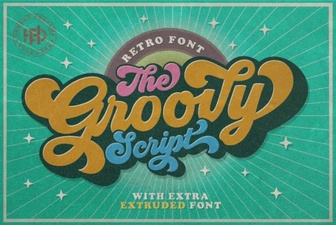 Groovy Fonts for Unique Design Projects
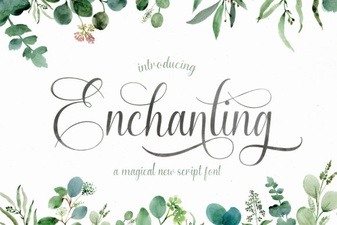 Enchanting Script Fonts for Your Creative Projects
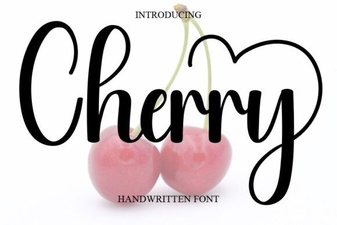 A Creative Cherry Font for Elegant Designs
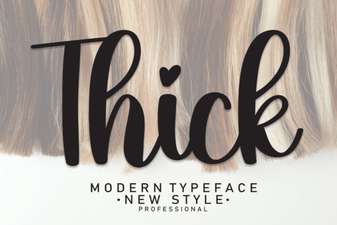 Bold Designs: How Thick Fonts Enhance Your Projects
 Design a Butterfly Monogram Font for Crafts
 Stylish Vintage Fonts for Modern Design Projects