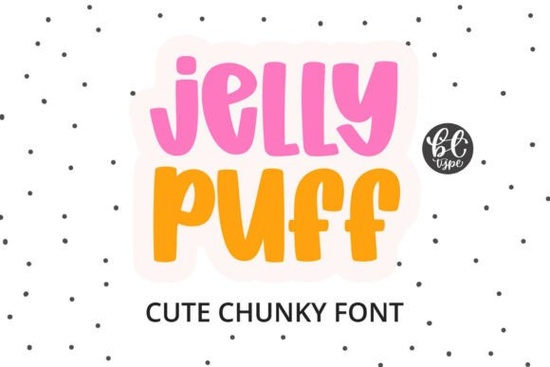
If you’re looking for a font that feels soft, playful, and full of personality especially for projects aimed at kids, sweets, or cheerful branding you’ll love the Jelly Puff Font. It’s not just another rounded typeface. Its thick, pillowy letterforms have real weight and bounce, like jelly beans stacked neatly in a jar or a cluster of helium balloons tied together. There are no sharp corners, no thin strokes just consistent, friendly volume from A to Z.
What makes Jelly Puff different from other chunky fonts?
Most “cute” fonts lean into thin outlines or cartoonish exaggeration. Jelly Puff stands out because it’s structurally soft: short ascenders and descenders keep lines tight and readable, even at small sizes; the rounded terminals and generous counters give it airiness without sacrificing impact. It doesn’t try to mimic handwriting or sketch it’s confidently digital, clean, and built for clarity on screen and in print.
Compare it to something like the Thick Honey Duo Font, which pairs a bold display face with a smoother script and works beautifully for bakery logos or greeting cards. Or consider the Cowboy Block Font, which delivers strong Western vibes with squared-off edges and high contrast. Jelly Puff sits in its own lane: plush, gender-neutral (despite its sweetness), and equally at home on a toddler’s onesie or a sticker pack for a craft supply shop.
Where does Jelly Puff work best?
Think about where you need instant warmth and approachability:
- Candy and snack packaging especially for gummy bears, lollipops, or organic fruit snacks
- Children’s book covers and interior illustrations it pairs well with hand-drawn art or flat vector characters
- Cricut and Silhouette cutting projects the solid shapes cut cleanly, with minimal weeding needed
- Print-on-demand products think baby bodysuits, enamel pins, party banners, or classroom posters
- Feminine-but-not-frilly branding for indie beauty brands, yoga studios, or small-batch soap makers who want friendliness without cliché
It’s also a smart choice if you’re designing for accessibility. The generous x-height and open counters improve legibility for younger readers or those with mild visual processing differences something many educators and children’s product creators quietly prioritize.
How does it pair with other fonts?
Jelly Puff shines as a headline or logo font but it’s not meant to carry long paragraphs. Use it alongside a simple, neutral sans-serif (like Inter, Open Sans, or even Bloomsy Font for a gentle serif alternative) for body text. Avoid pairing it with other highly decorated or bubbly fonts that can feel overwhelming. Instead, let Jelly Puff be the joyful accent in an otherwise calm layout.
For contrast, try combining it with something grounded and rustic like the Vintage Western Font in a dual-branded project say, a “Sweet & Spicy” candy line or a boutique gift shop that sells both macarons and handmade leather goods. That kind of intentional contrast adds storytelling depth without visual noise.
Real-world usage tips
You don’t need design software experience to get great results with Jelly Puff. In Cricut Design Space, use the “Weld” tool before cutting to avoid gaps between rounded strokes. For SVG use in Canva or Adobe Express, check that all letters are outlined not live text so sizing stays consistent across devices.
If you’re selling digital downloads (like printable party kits or planner stickers), include a PDF guide with recommended sizes: 48–72 pt for headers, 24–36 pt for medium emphasis, and never smaller than 18 pt for legibility on physical products.
One more note: while Jelly Puff is joyful by nature, it’s not limited to pastels. Try it in matte black on kraft paper, or deep navy on cream cardstock it keeps its charm without needing pink or mint.
For inspiration, see how designers use Jelly Puff Font across real Creative Fabrica projects from editable birthday invites to layered SVG cupcake labels.
Before you download or license Jelly Puff, ask yourself:
- Is my audience under 12 or do they respond well to warm, non-intimidating visuals?
- Will this be used mostly for headlines, logos, or short phrases (not body copy)?
- Do I need clean cut files, or am I working mainly in digital layouts?
- Have I tested it alongside my secondary font at actual print size not just on screen?
- Does it support the languages or special characters I need? (Check the character map before purchase.)
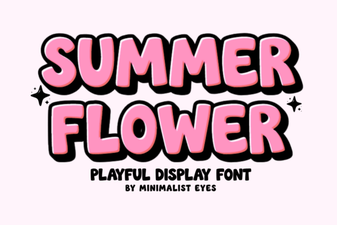 Blooming Fonts for Your Summer Design Projects
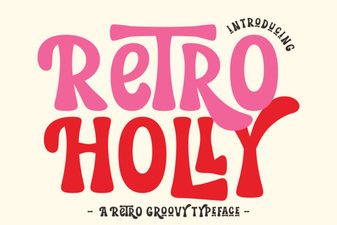 Retro Holly Font for Festive Creative Designs
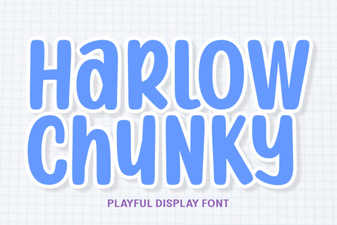 Harness Harlow Chunky Font for Bold Designs
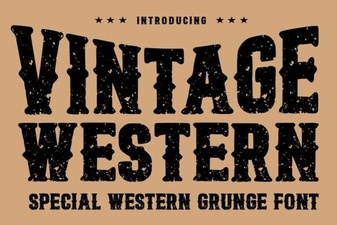 Craft Projects with Vintage Western Fonts
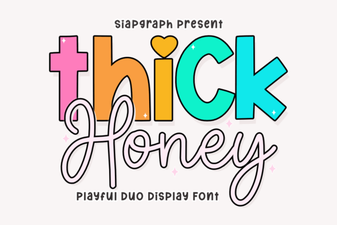 Craft Projects with Thick Honey Duo Font
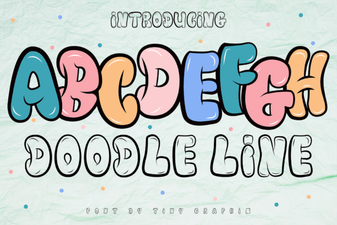 Doodle Font Styles for Creative Design Projects